A Grok bank feed bot answers the question your team asks most: “has the finance company paid out on this deal yet?” One car dealer we work with cut staff, and every one of those questions started landing on the owner’s phone. He did not want to hand out bank logins, so we built him a Grok bot that reads a read-only Atoa bank feed and answers by deal number instead.
This guide shows how to build the same bot in about ten minutes, with no code: connect your business account as an Atoa bank feed, give a Grok bot the Atoa connector and one job, and let the team ask it. The examples use a sandbox account for a fictional dealer, Brindlecove Motors, with fictional finance companies.
Why build a Grok bank feed bot?
In a dealership, a car usually cannot leave the forecourt until the finance company’s payout has reached the bank. Sales, the workshop and sometimes the customer all want to know when that happens, and the only person who can check is whoever has the bank login. A Grok bank feed bot moves that check out of one person’s head and into a chat anyone on the team can use.
- No bank logins shared. The bot reads a read-only feed. Nobody gets online banking access or cards, and the bank feed itself cannot make payments. The key can access other Atoa tools.
- Answers by deal number. Ask about BCM-2231 and get landed or pending, the amount, the finance company and the date.
- One job only. The bot is told to answer payout questions and nothing else, so staff get what they need without seeing the rest of the account.
What is Atoa bank feed?
Atoa bank feed connects your business bank account to Atoa with read-only Open Banking access, called account information services. Once you approve it at your bank, Atoa can read your balance and transactions, but it cannot move money.
The Atoa MCP server makes that feed available to AI assistants. MCP, the Model Context Protocol, is an open standard for giving an assistant tools. Atoa’s bank feed tools list connected accounts, read transactions over a date range, read the balance and revoke access. Grok calls those tools when you ask it a question, so every answer from your Grok bank feed bot comes from your bank data rather than from guesswork.
What you need
- An Atoa business account with Bank Feed turned on. Sign up free if you do not have one yet.
- A Grok account that can add custom connectors and create bots. Availability can depend on your Grok plan.
- Your Atoa access key, from the Atoa dashboard under Settings, API Access.
Step 1: Connect your bank account as an Atoa bank feed
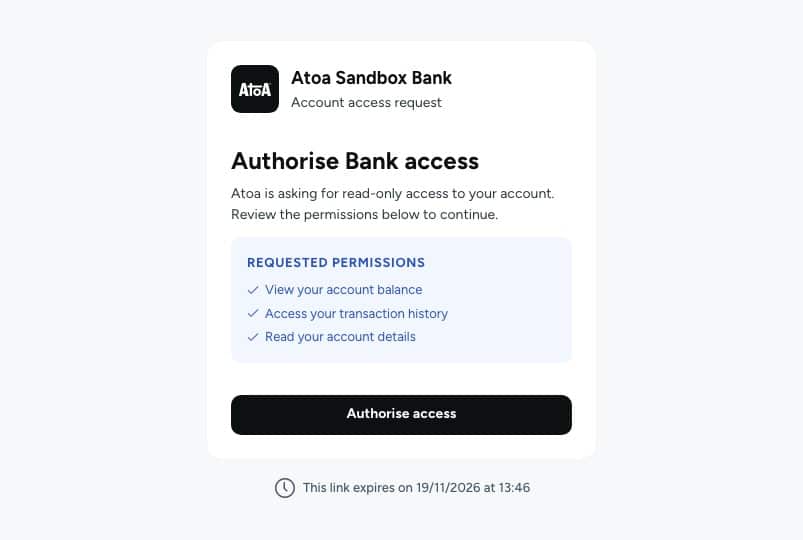
Turn on Bank Feed in Atoa and connect your business account. Your bank shows you exactly what Atoa is asking for: read-only access to the balance, transaction history and account details. You approve it once. Your bank login stays with you, and nothing about the connection lets anyone make a payment. This is the only step of the Grok bank feed setup that happens at your bank.
Step 2: Add the Atoa connector to Grok
In Grok, open Settings, then Connect Apps, and click Add a custom connector. Enter the details below and click Add MCP. If you already connected Atoa for taking payments with Grok, you can reuse that connector.
| Field | Value |
|---|---|
| Name | atoa-payments |
| Server URL | https://mcp.atoa.me/mcp |
| Header 1 | X-Atoa-Env = production (or sandbox while testing) |
| Header 2 | Authorization = Bearer YOUR_ACCESS_KEY |
Step 3: Create the Grok bot
In Grok’s sidebar, click + next to Bots, call the bot Payout Checker and create it. You can upload a logo under its avatar, so the team recognises it in the sidebar.
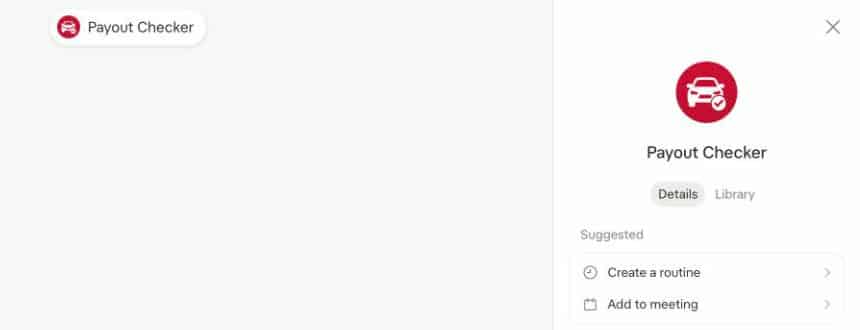
A Grok bank feed bot learns its job from what you tell it in its chat, so open the bot and give it its rules in plain English. This is roughly what we used:
Use the Atoa connector and only its bank feed tools, for our business current account. Your one job is to confirm whether a payout from a finance company has landed for a deal number. Answer briefly: landed or pending, amount, finance company, deal number and date, in UK time. Never share the account balance or any other transactions, and never make or suggest payments.
The bot keeps these rules for every later question in its chat, so nobody has to repeat them.
Step 4: Ask the Grok bank feed bot by deal number
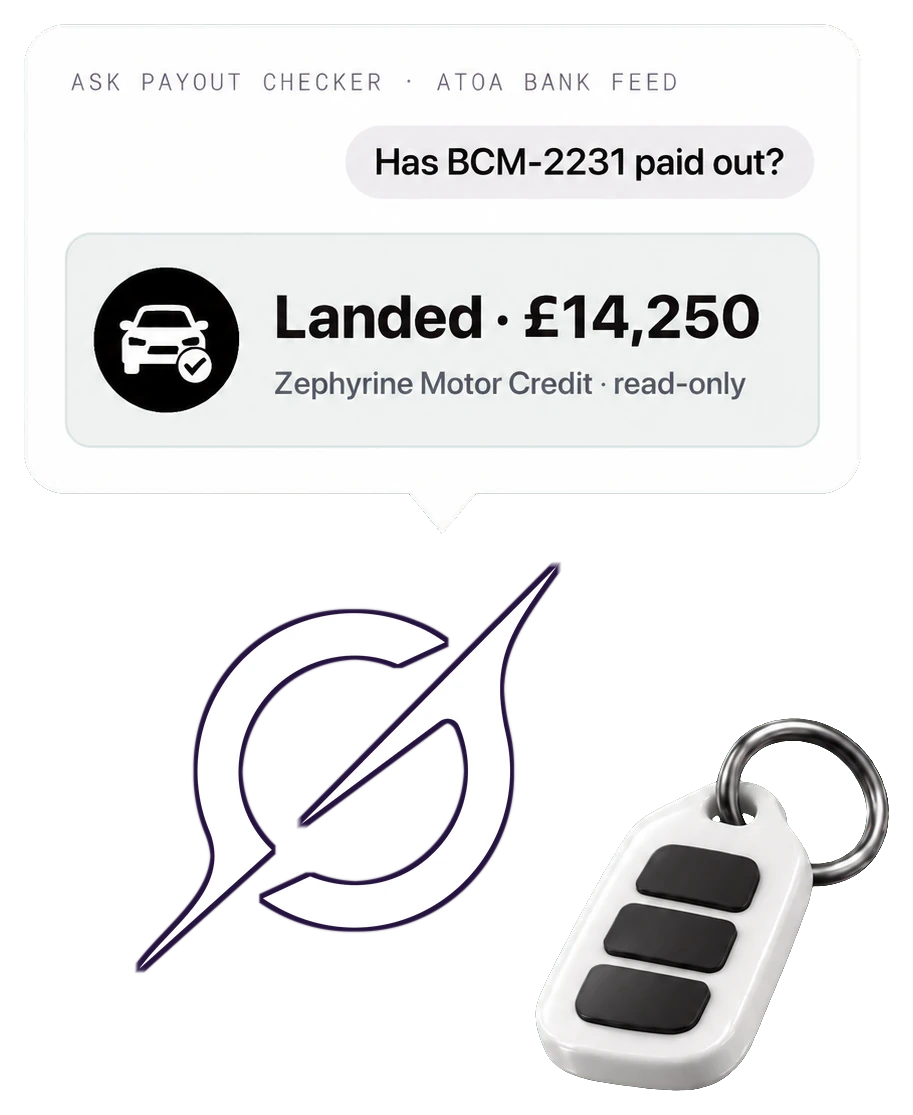
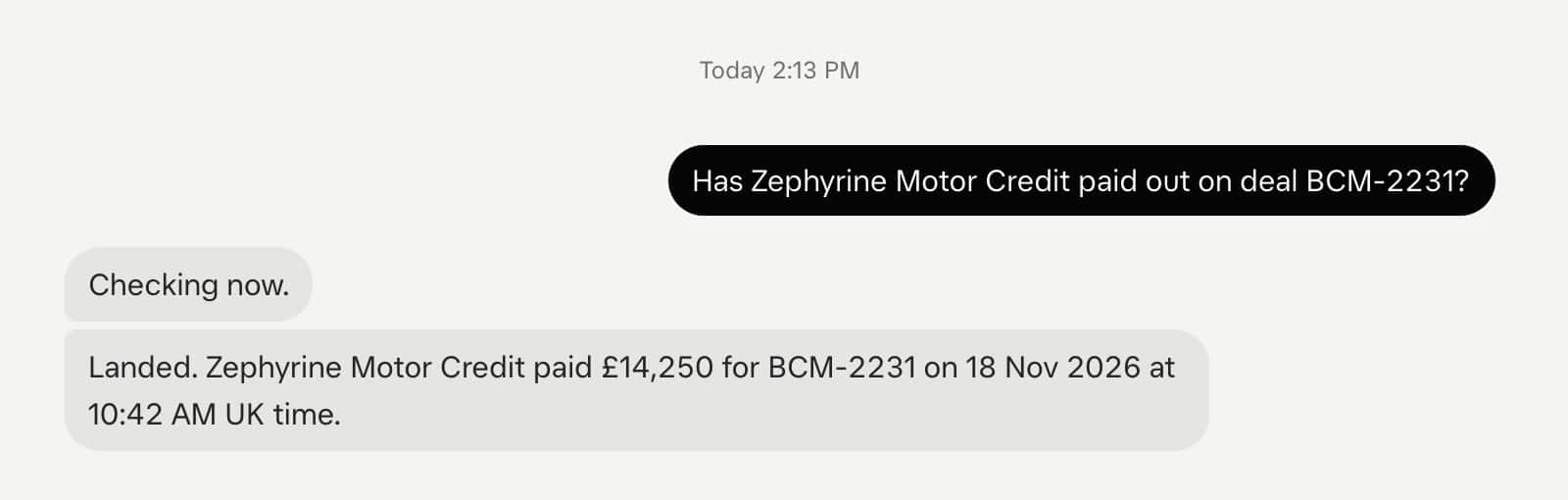
“Has Zephyrine Motor Credit paid out on deal BCM-2231?”
The Grok bank feed bot reads the feed, finds the credit with BCM-2231 in its reference and answers in one line: landed, £14,250, with the date and time. The car can go.
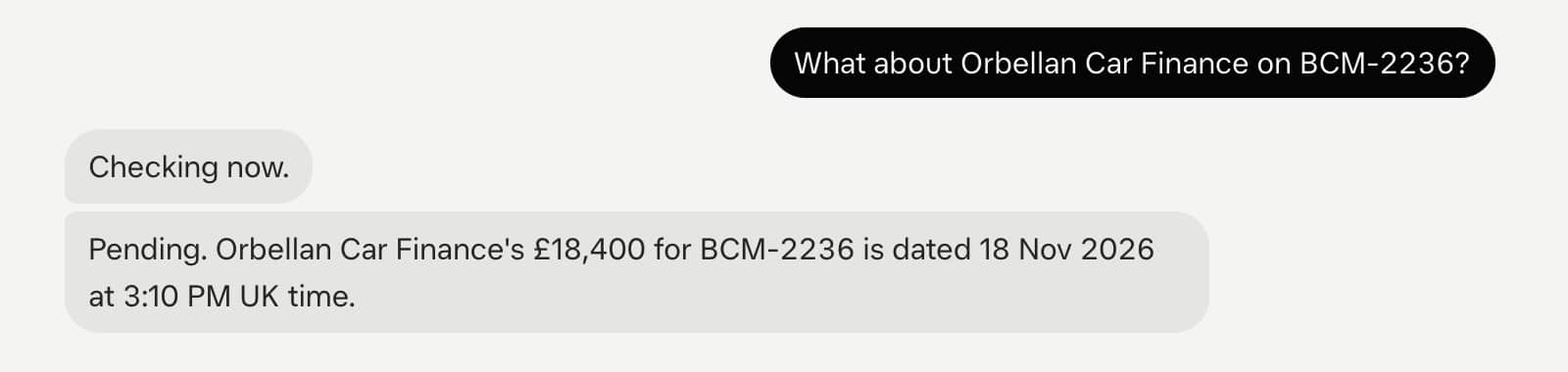
“What about Orbellan Car Finance on BCM-2236?”
Here the bank shows the £18,400 payout as pending, so the bot says so. The car stays on the forecourt until it clears, and nobody had to ring the owner to find out.
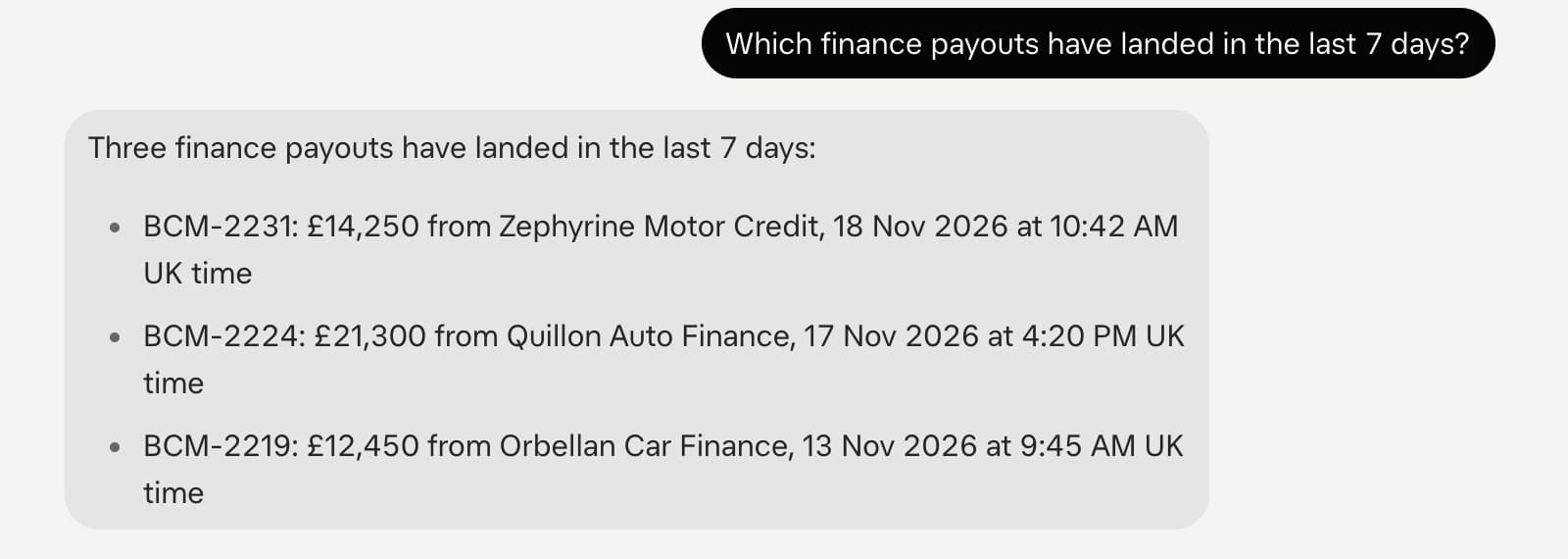
“Which finance payouts have landed in the last 7 days?”
For the bigger picture, ask for a period. The bot lists each landed payout with its deal number, finance company, amount and date, which makes a quick check at the end of the week.
“What’s our current bank balance?”
Staff do not need the balance to release a car, so the bot declines and points back to what it is for.

How the balance stays private, and its limits
It is worth being precise about what keeps the balance private. The bank feed itself can read the balance: that is one of the permissions on the consent screen, and transaction data from banks often includes the running balance after each transaction. What stops a Grok bank feed bot sharing it is its instructions. Grok follows them well, as the last question shows, but an instruction is not a permission. Someone determined enough could try to talk a bot out of its rules.
- Share the bot, not the key. Staff ask the bot. Only you hold the Atoa access key and the connector settings.
- Keep it to trusted staff. Treat access to the bot like access to the office: fine for your team, not for customers.
- A bank feed is read-only and can never pay from the connected bank account. The bot’s key can also start refunds or payment requests. Set rules for the Grok bank feed bot to use only the bank feed, keep it team-only and start in sandbox.
- Revoke in one step. Revoking the bank feed in Atoa, or at your bank, stops all further reads at once.
More ways a CFO can use a Grok bank feed
The payout checker is deliberately narrow because the team uses it. In your own private Grok chat with the Atoa connector, the same Grok bank feed answers the questions owners and finance leads ask every week:
| Use case | Example question |
|---|---|
| Morning cash position | “What’s our balance this morning, and what has cleared since yesterday?” |
| Pending versus booked | “Which incoming payments are still pending?” |
| Unusual outgoings | “Flag any debits over £2,000 this month from a payee we haven’t paid before.” |
| Tax and payroll checks | “Has the HMRC VAT payment gone out, and did Friday’s payroll leave?” |
| Takings versus bank | “Do today’s Atoa payments match what landed in the bank?” |
| Month-end summary | “Summarise November’s money in and out by category.” |
Dealers already use open banking to take deposits and payments faster. A bank feed closes the loop on the money coming the other way. For where this is heading, see what agentic commerce is and Atoa agentic payments.
Testing first with sandbox
Use your Sandbox Access secret with X-Atoa-Env: sandbox to try your Grok bank feed bot before connecting a real account. Sandbox comes with a test bank account full of dealer-style transactions, including landed and pending finance payouts, so every question in this guide works straight away. When you are happy, switch the header to production, paste your production secret and connect your real business account.
Troubleshooting
- The Grok bank feed bot cannot see any accounts. Check that the bank feed is connected and that the key and
X-Atoa-Envheader are for the same environment. - It cannot find a deal. The bot matches the deal number in the payment reference. Ask your finance companies to include the deal number in their payout reference.
- Answers are too long. Tell the bot the exact format you want, for example “landed or pending, amount, finance company, date”. It keeps that format.
- It answers without checking. Remind it to “use the Atoa bank feed” in its rules, so it always reads the feed before replying.

See Atoa's payment guides first on Google
Add Atoa as a preferred source and our guides show at the top of your Google Search results.
Frequently asked questions
Can the Grok bot move money from my account?
No. An Atoa bank feed is read-only Open Banking access. It can read balances and transactions, but it has no permission to make payments from the connected account.
Does anyone get my bank login?
No. You approve read-only access once, at your own bank. Neither Atoa, Grok nor your team ever sees your bank login.
Is the bank balance hidden from the bot?
Not technically. The bank feed can read the balance, and transaction data includes running balances. The bot is instructed never to share it, which works well in practice, but it is an instruction rather than a permission, so treat the bot as something for trusted staff.
How do I stop the bank feed?
Revoke the bank feed in Atoa, or remove Atoa’s access from your bank’s connected apps. Either one stops all further reads straight away.
Sources (as of 2026)
- Atoa MCP server documentation: docs.paywithatoa.com/mcp-server
- Grok connectors: xAI documentation
- Model Context Protocol: modelcontextprotocol.io
- Open Banking account information services: openbanking.org.uk
This publication is provided for general information purposes and does not constitute legal, tax or other professional advice from Atoa. We make no representations, warranties or guarantees, whether expressed or implied, that the content in the publication is accurate, complete or up to date. All logos and trademarks are property of their respective owners.